Maimaps Knowledge Base & User Guide
How can we help you navigate
Nigeria with certainty?
Welcome to the official Maimaps user guide. Learn how to search by Loccodes, plan routes, navigate in real time, save places, and contribute to the map.
What is Maimaps?
Maimaps is Maiaddy's navigation and mapping app for Nigeria. It is your essential, high-performance companion for finding places and getting where you need to go — fast, simple, and precise.
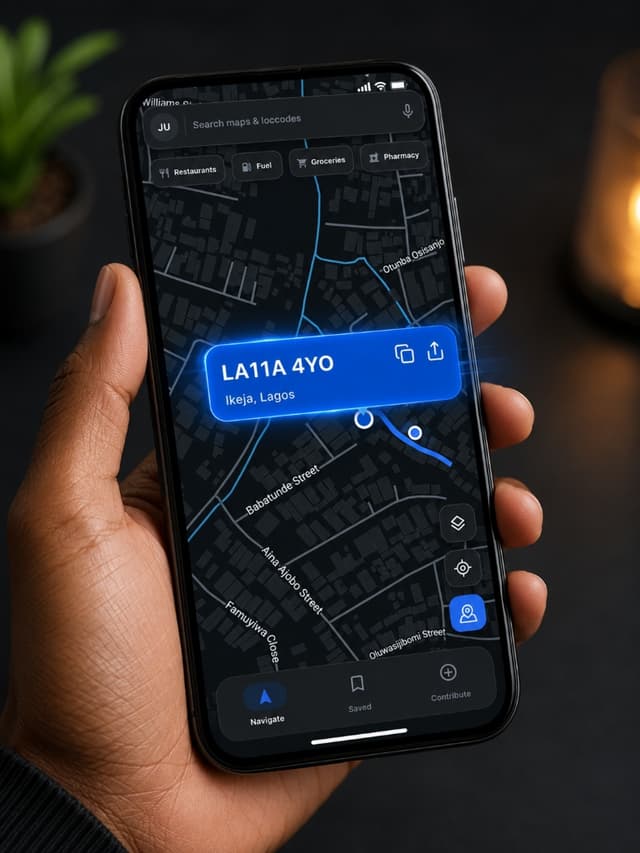
Clean, High-Performance Mapping
Maimaps overlays precision Loccode chips directly onto dark-mode vector street maps, enabling one-tap copying and instant navigation anywhere in Ikeja, Lagos and nationwide.
Core Principles of Maimaps
- •Precision addressing with Loccodes: Pinpoint accuracy in addressing and location discovery.
- •Minimalist and intuitive: No clutter, just the features you need in a clear interface.
- •High performance: Engineered for fast search results and real-time turn-by-turn navigation.
What is a Loccode?
A Loccode identifies a street, a block of apartments, a landmark, or a place. It is the stable, machine-readable identity of that location, just the way a phone number identifies a person. Loccodes make it easy to find, share, and navigate without relying on long written street addresses.
Getting Started
Maimaps is available as a mobile app on both iOS and Android platforms as well as on the web.
Signing Up or Signing In
- Already have a Maiaddy ID? Tap Sign In and enter your credentials.
- New to Maiaddy? Tap Sign Up to create a Maiaddy ID.
- Want to explore first? Tap Continue as Guest to browse the map instantly.
Using Maimaps as a Guest
- Save places to a custom list
- Set Home or Work address shortcuts
- Access the Saved tab
- Contribute new places or edits
- Use voice guidance during turn-by-turn navigation
The Home Screen
The Navigate tab is the main map view you see after opening the app.
Search Bar & Profile
Search by Loccode or place name with voice search integration.
Current Location
Marked on the map with a glowing blue dot.
Loccode Pin Button
Drop a pin anywhere on the map to reveal its Loccode.
Searching for a Location
Tap the search bar and type a Loccode or a place name to view matching results in real time.
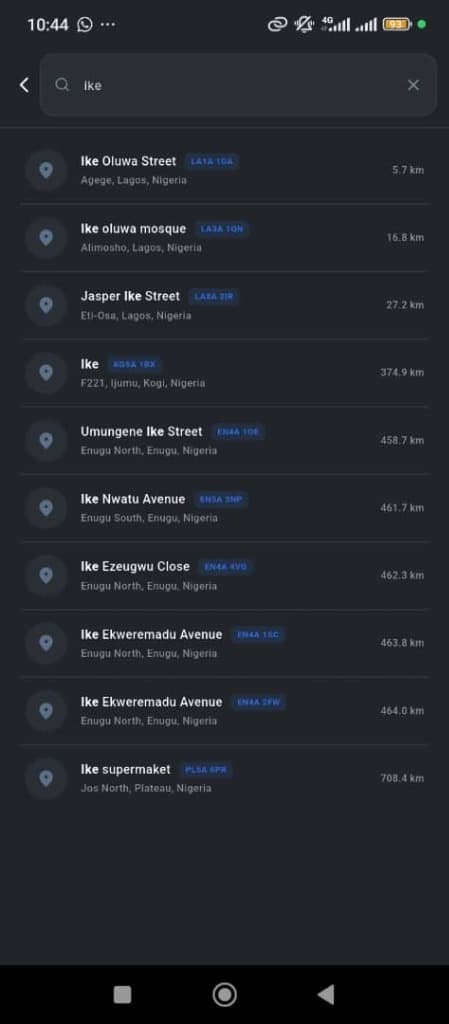
Instant autocomplete matching results with distance in km (e.g. 5.7 km) and blue Loccode badges (LA1A 1GA).
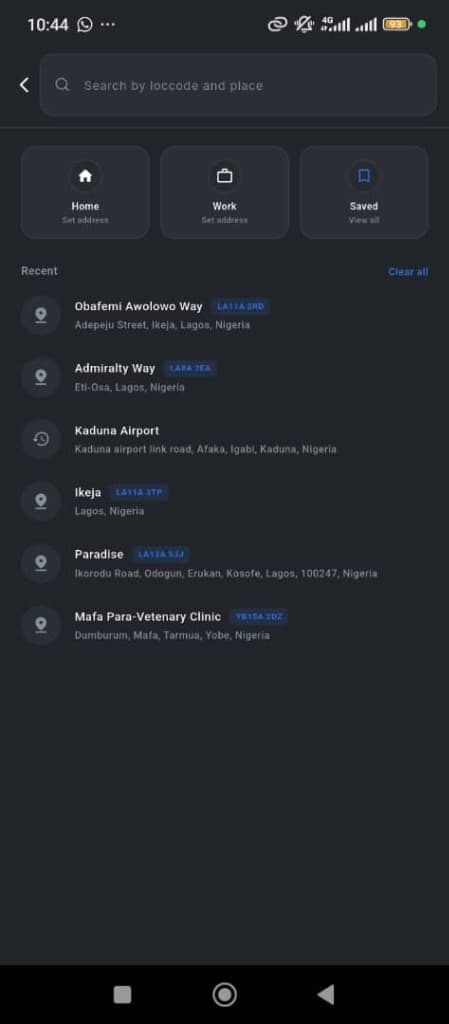
Quick access cards for Home, Work, and Saved places alongside your recent search history.
Location Detail
When you tap a place on the map, a details panel slides up showing its name, area, and official Loccode.
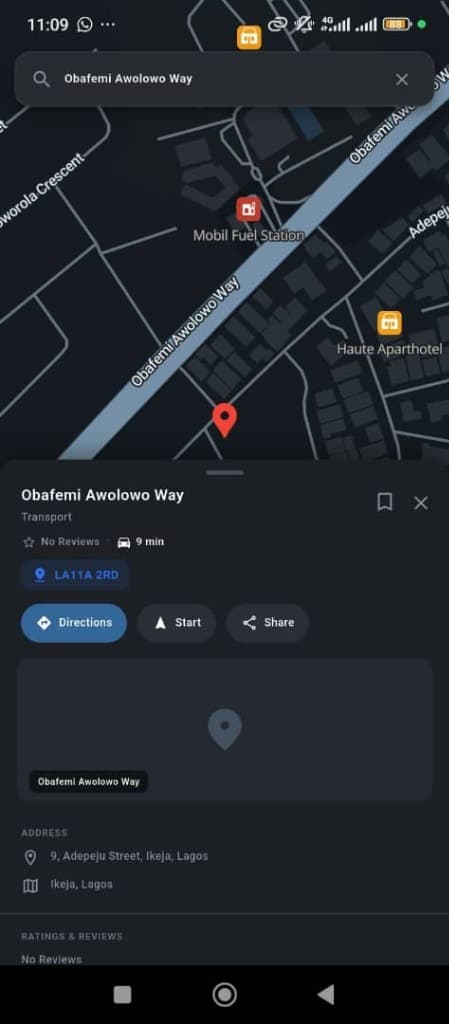
Obafemi Awolowo Way
Displays Loccode badge (LA11A 2RD), distance/time estimate, and action bar buttons (Directions, Start, Share).
Directions and Navigation
Tap Directions to plan a route, or Start to enter active navigation.
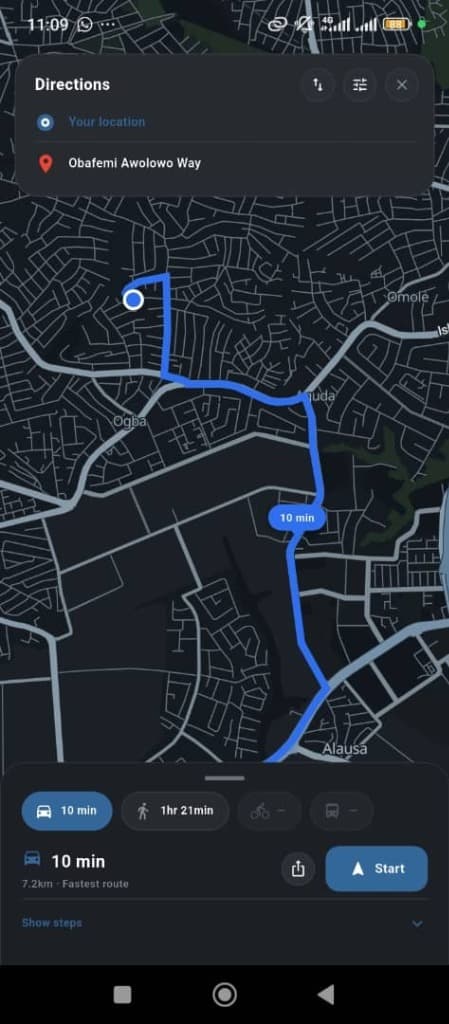
Turn-by-Turn Map View
Real-time vector road network in dark mode showing fastest route options (e.g., 7.2km • 10 min route to Obafemi Awolowo Way).
Saved & Custom Lists
Manage Home and Work address shortcuts and create custom lists for your favorite spots.
Contribute & Rewards
Help improve map coverage across Nigeria by adding missing places, street names, and photos.
Settings & App Tips
Access Settings anytime by tapping your account profile icon on the Home Screen.
Settings Screens Overview
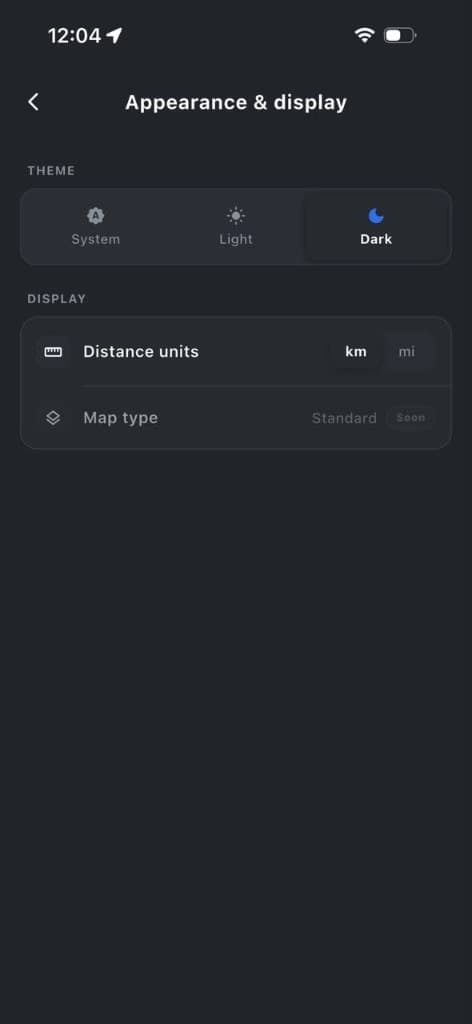
System, Light, and Dark themes. Distance units (km / mi).
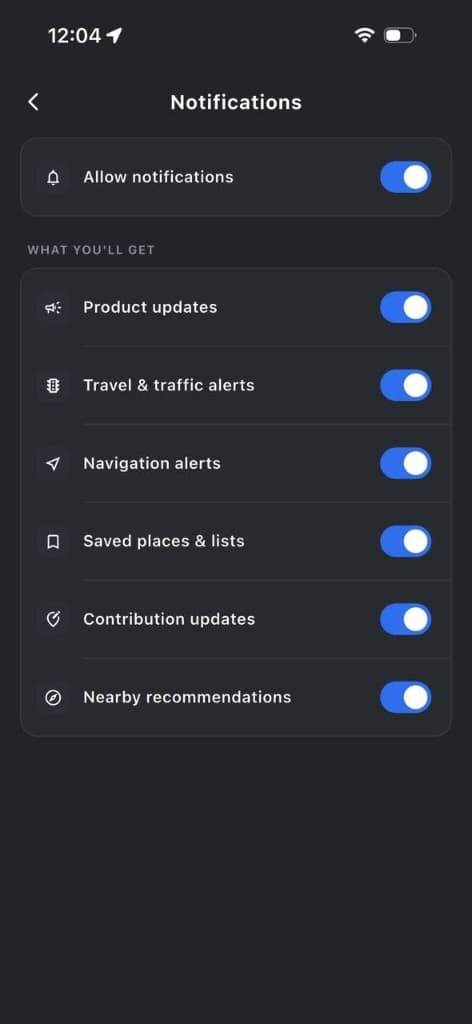
Product updates, traffic alerts, navigation alerts.
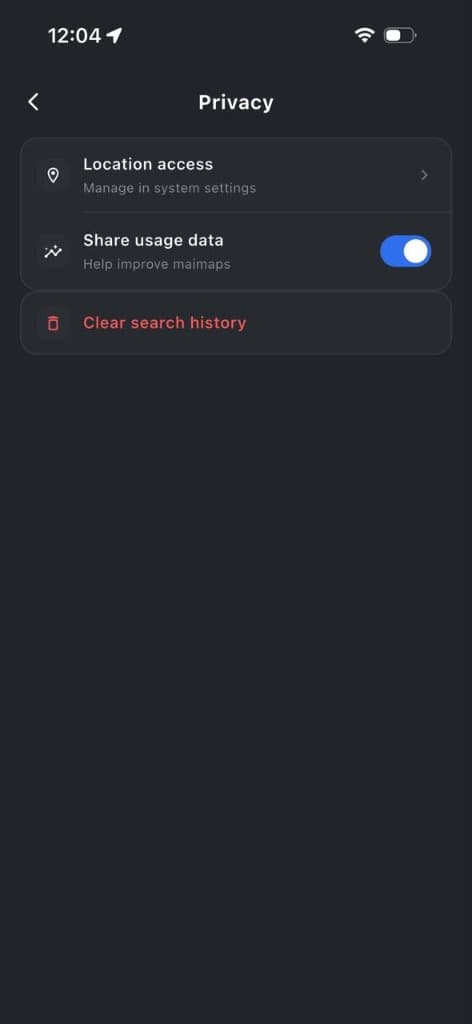
Location permissions, usage data sharing, clear history.
Frequently Asked Questions
Quick answers to the questions we hear most about Maimaps.
Contact & Support
Need help with Maimaps or Loccode integration? Our team is available 24/7.
Get in touch with Support
Email our support and engineering team directly.
Email Support (hello@maiaddy.com)